In the previous chapter, you learned how to use ISF Editor as your creation and debugging lab. Now you need source material. The good news: there is a free public library maintained by a global visual-art community that has accumulated production-ready shaders for years. This chapter shows you how to navigate it with intent.
If you are arriving from ISF Editor Tutorial for VJs — Chapter 5, this is the next practical step: source quality shaders, validate them, and integrate them into the same Windows workflow you started in Install ISF Shaders in Magic Visuals — Chapter 4. You can also review the full series map in the ISF for VJs manual index.
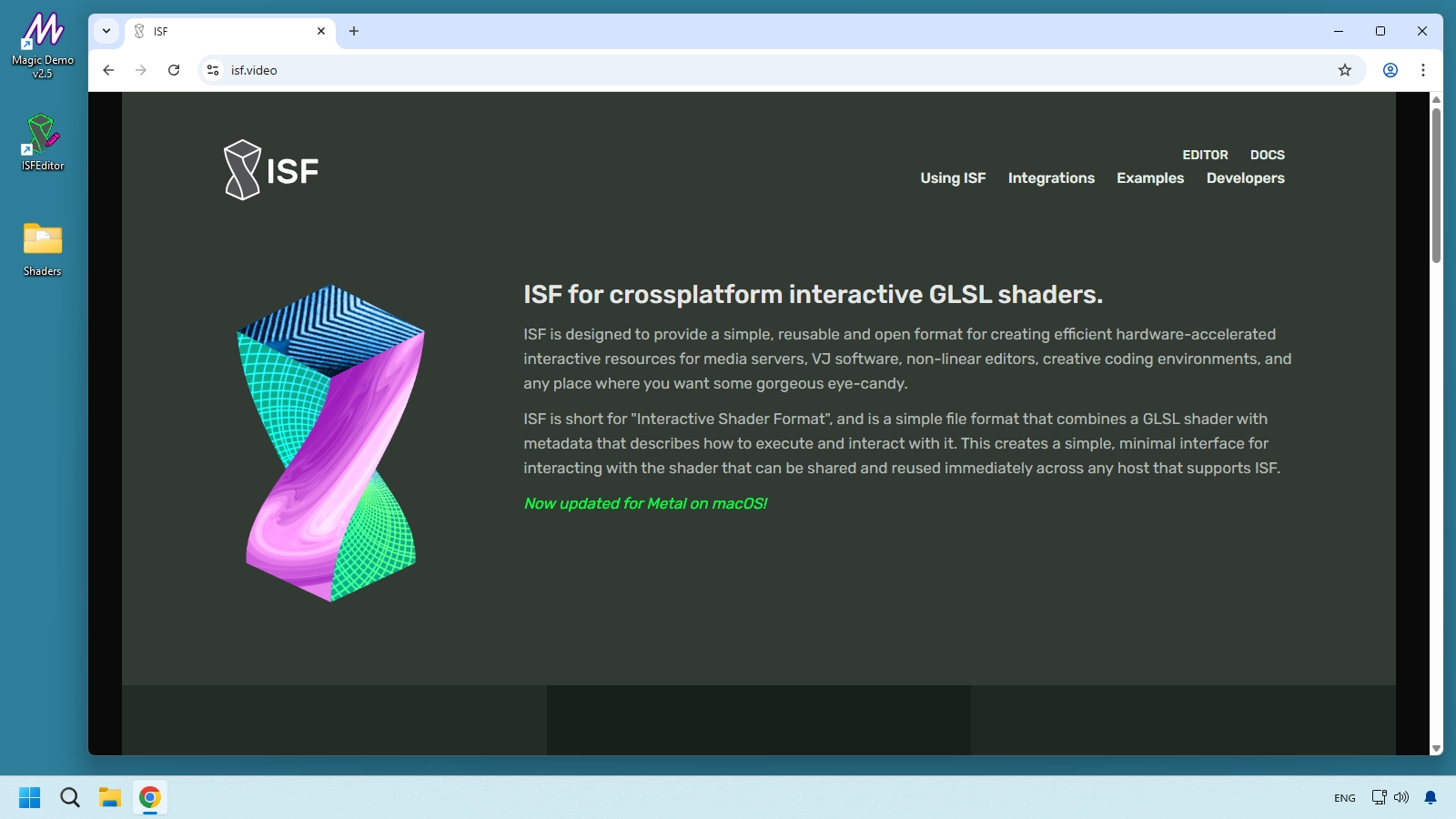
Free ISF shader library for VJs: what is isf.video
isf.video is the official website of the ISF standard, maintained by VIDVOX, the creators of VDMX. It is not a paid marketplace. It is an open ecosystem resource built around ISF documentation, standards, and shader distribution.
There are two URLs you should separate from day one:
- isf.video: standard, documentation, integrations, and developer references.
- editor.isf.video: interactive web editor and community shader catalog.
When this chapter says "the library," it refers to editor.isf.video.
editor.isf.video workflow for finding free ISF shaders
The web editor is more than a code editor. For VJs, it is a visual discovery interface where you can preview shaders in real time, test controls, and download files in one click.
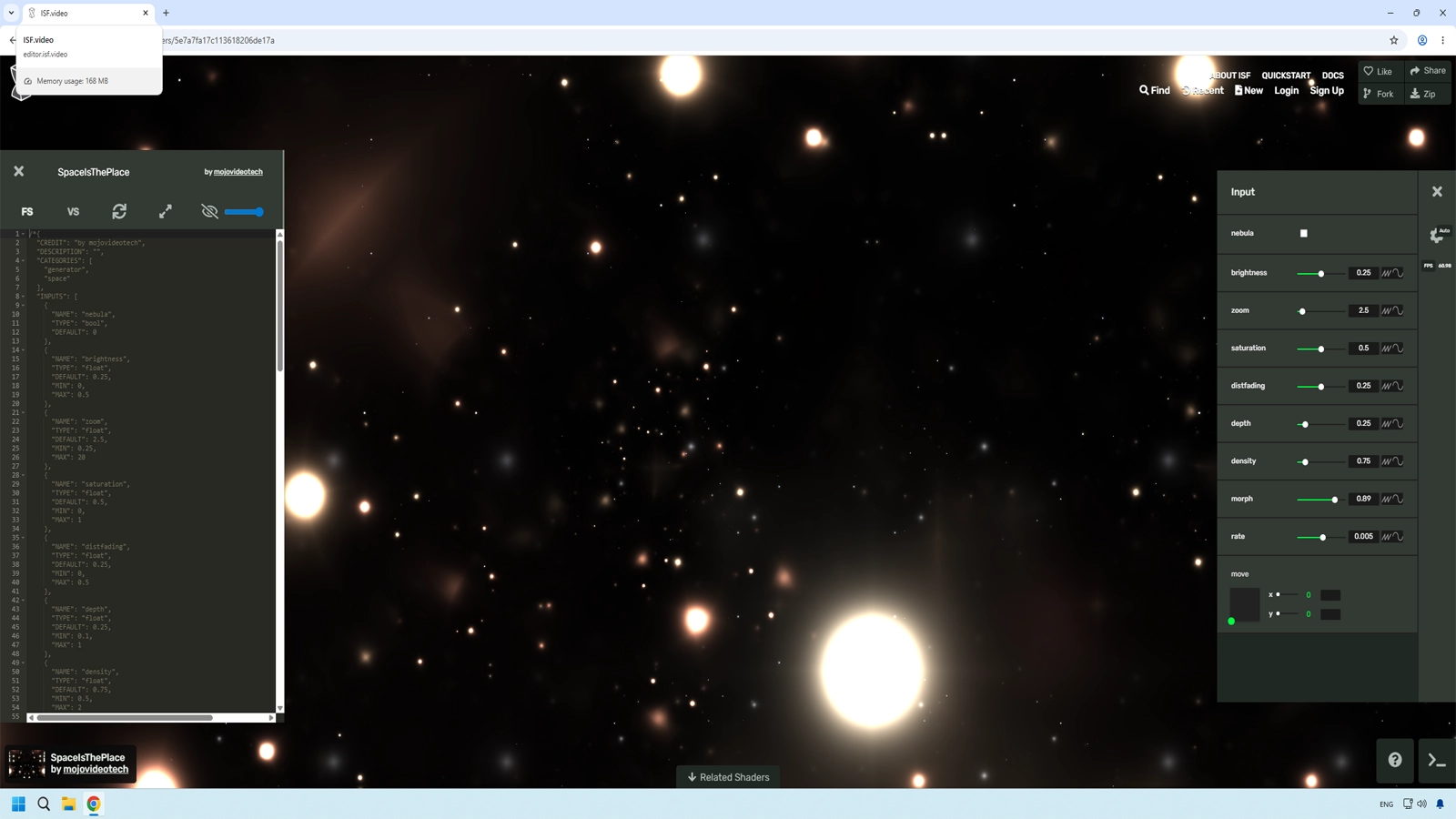
Top navigation essentials
- Browse: opens the public shader catalog.
- New Shader: starts a blank shader template.
- Sign in / Create account: only required for publishing your own shaders.
For this workflow, go to Browse.
Browsing the catalog efficiently
The Browse section lists community shaders with animated thumbnails, title, author, and shader type.
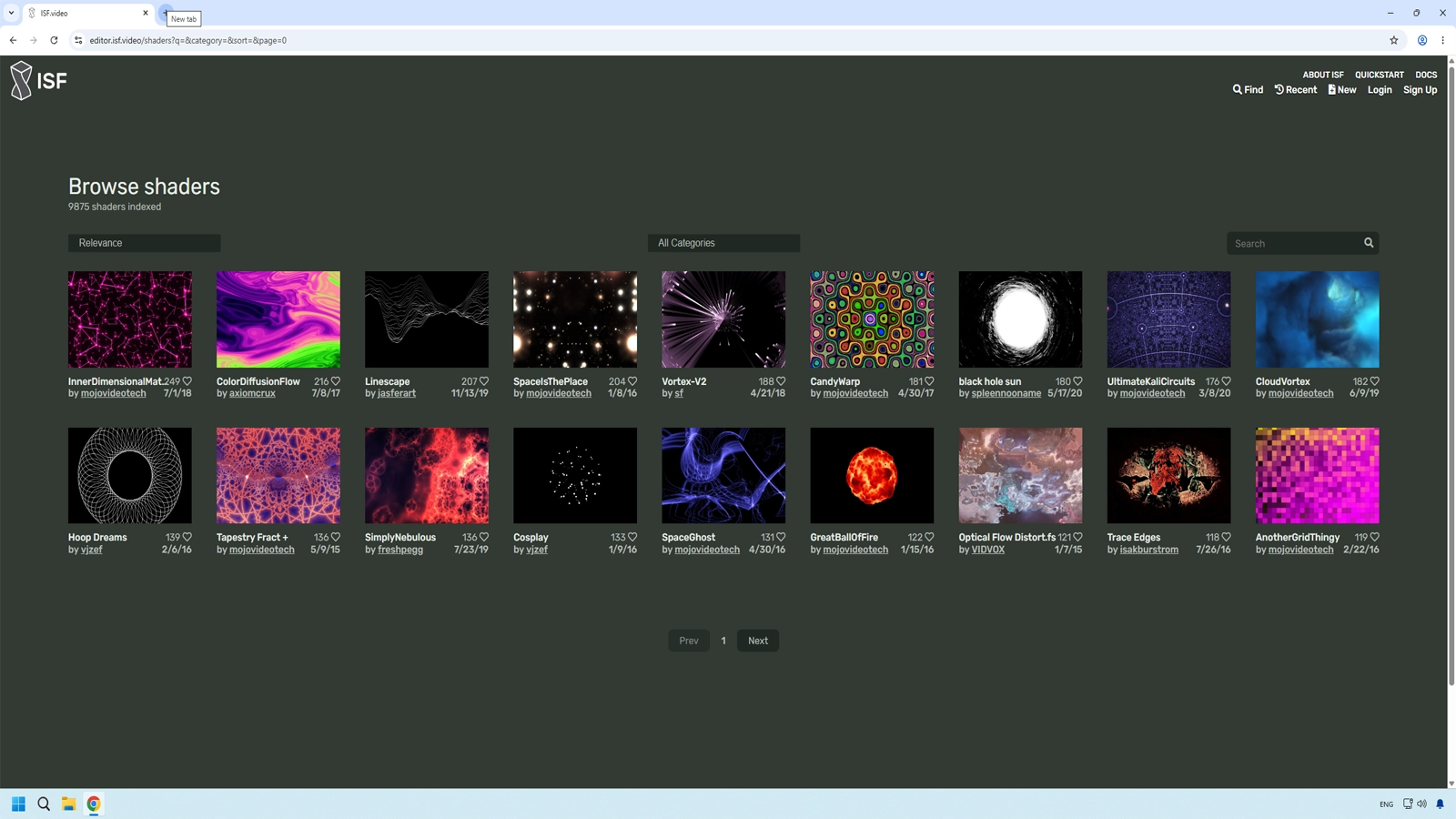
Use filters with purpose
The catalog is large. Without filters, discovery becomes random scrolling.
- Generators: create visuals from scratch and are ideal for standalone live layers.
- Filters: process existing video input and are ideal for post effects.
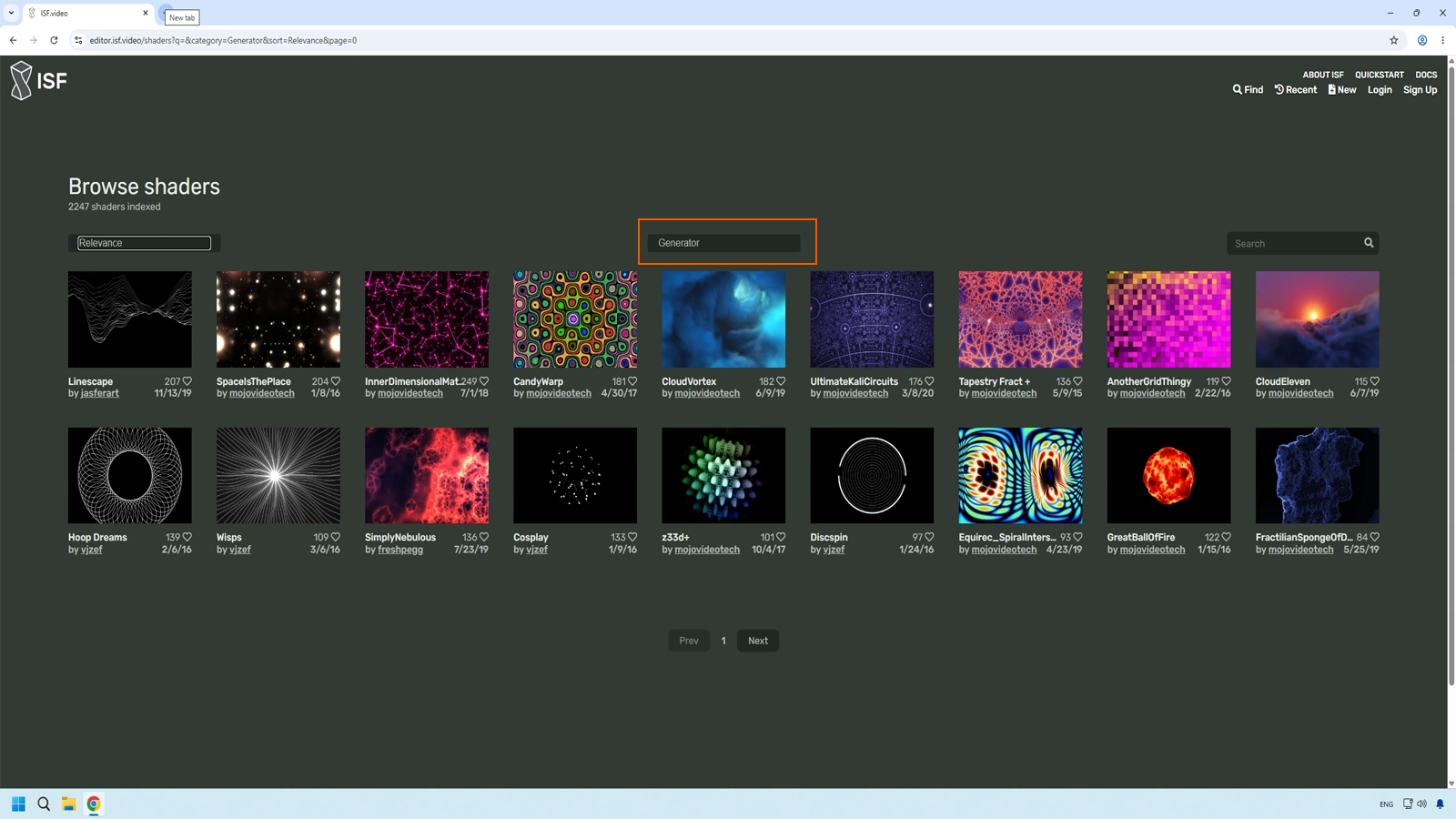
Start with Generators if you need autonomous performance material. Move to Filters when you already have active source layers to process.
How to read a shader card before opening it
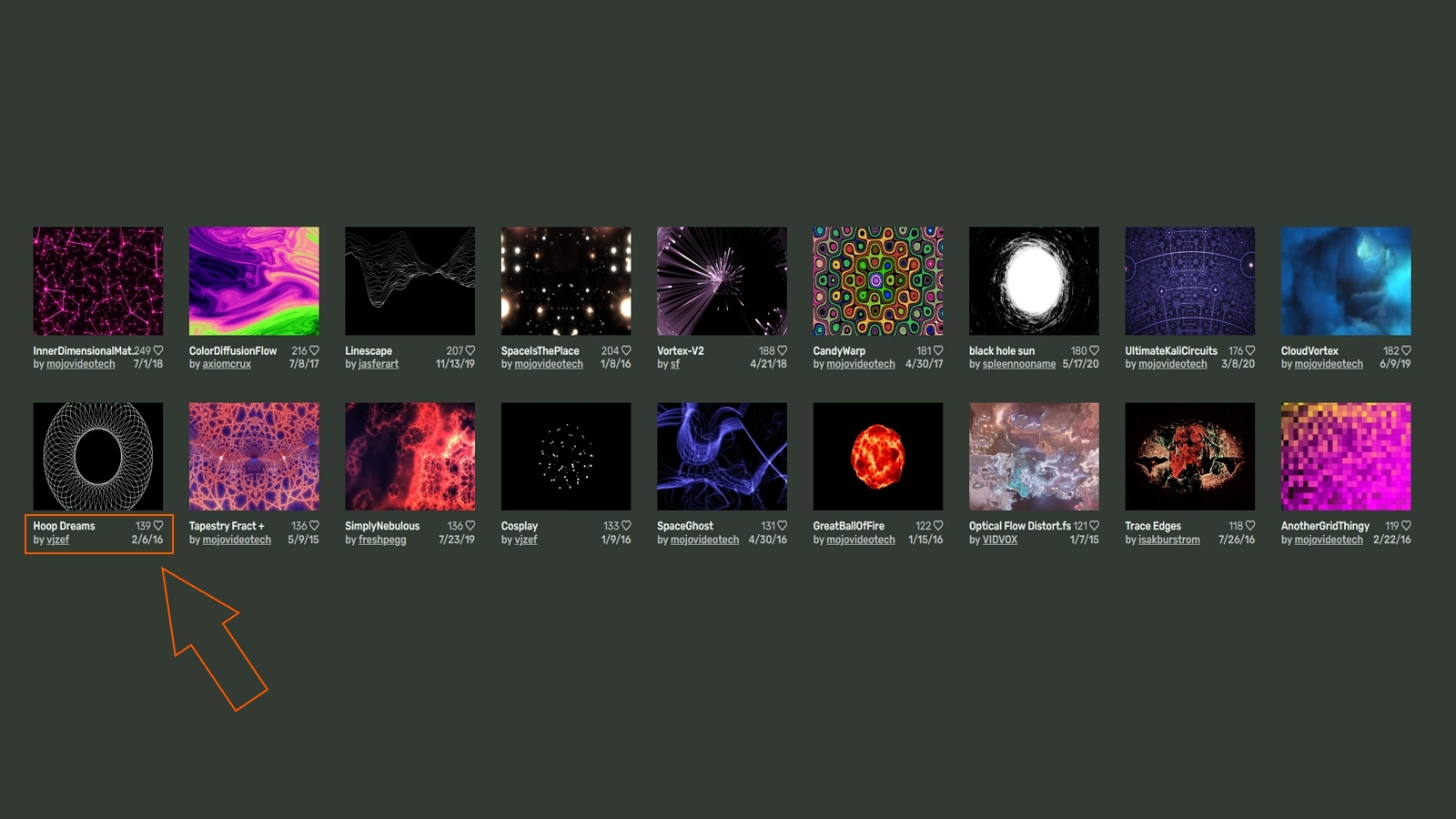
Animated thumbnails let you judge motion style, density, and palette in seconds. Author names also become useful over time, because you can follow creators whose work performs reliably in your sets.
Inside a shader detail view
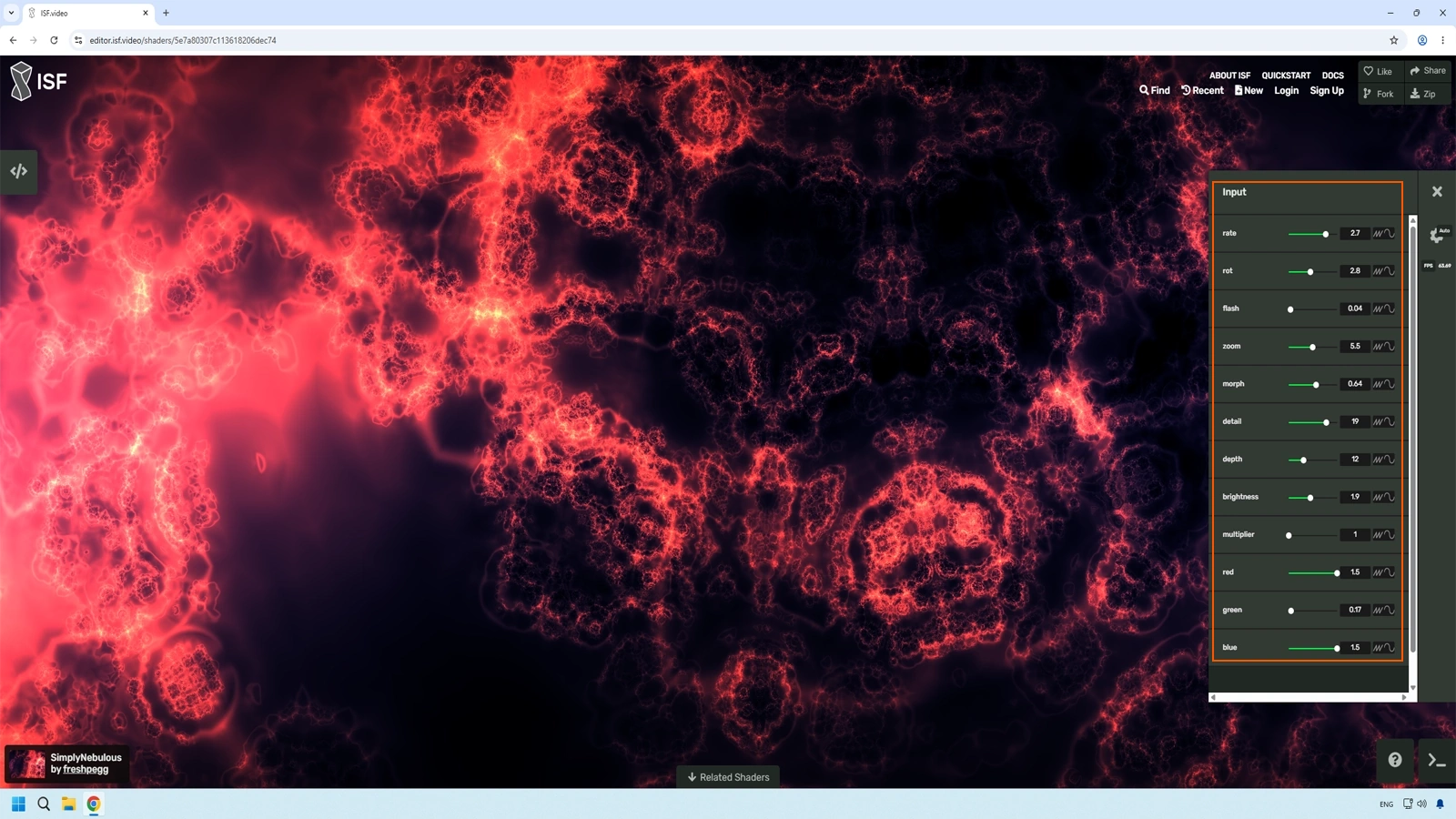
Test controls before downloading
The detail page auto-generates controls from shader JSON inputs (sliders, color pickers, toggles). Evaluate each candidate using this quick checklist:
- Does speed control respond smoothly?
- Can you manipulate color or tone?
- Can intensity be reduced without breaking the visual?
- Is slow playback stable and artifact-free?
- Does the animation remain consistent over time?
How to download a shader
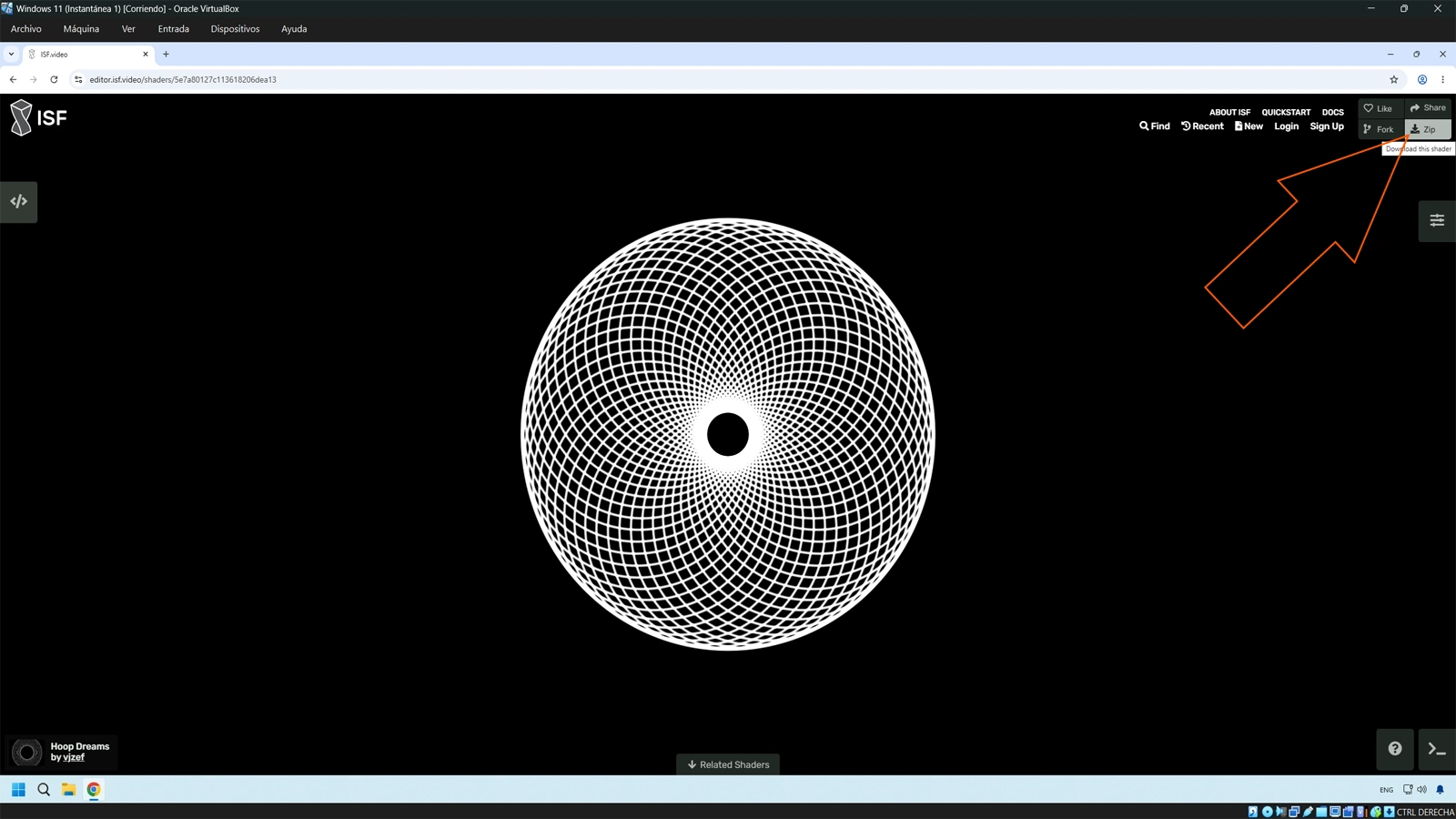
- Open any shader detail page.
- Click the download button (usually near the top-right area).
- Save the resulting .fs file.
No installer is required. The .fs file is the shader.
Where to store downloaded shaders on Windows
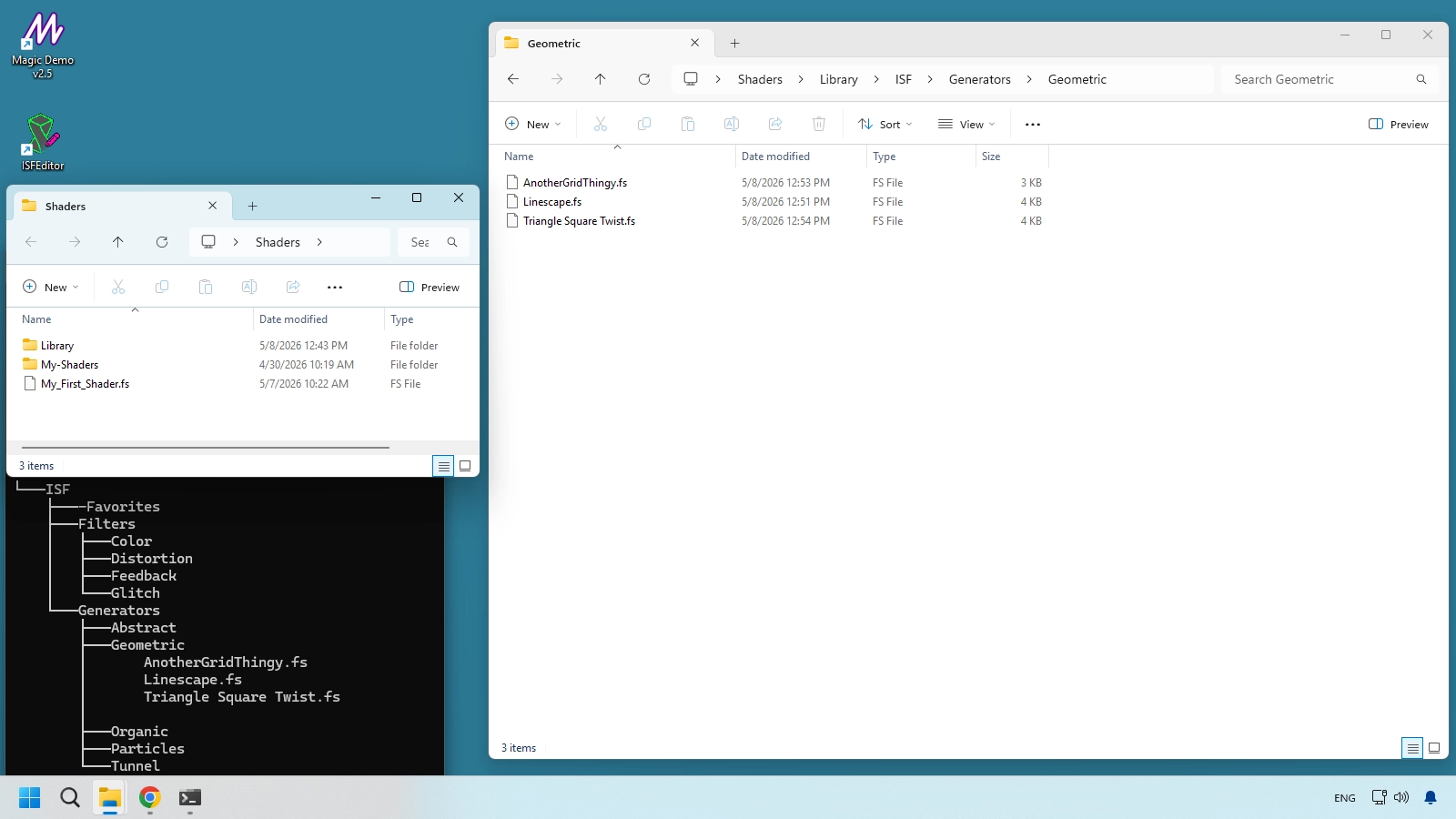
Recommended global path:
C:\ProgramData\ISFInstalling in the global path keeps your library centralized and easier to reuse across compatible tools such as Resolume, VDMX, Magic Music Visuals, and MadMapper.
Folder structure for live performance
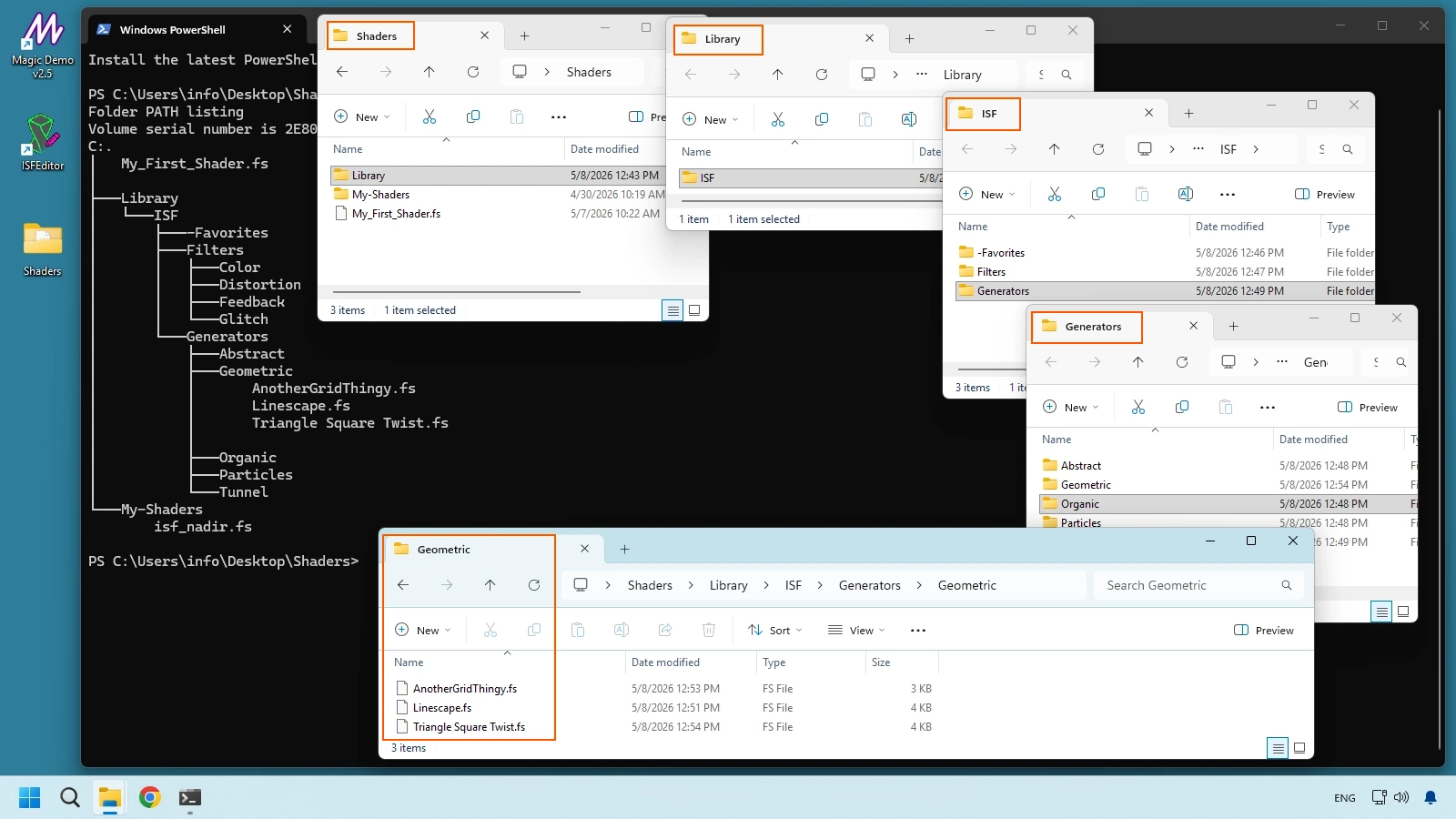
A practical starter structure:
ISF/
├── Generators/
│   ├── Abstract/
│   ├── Geometric/
│   ├── Organic/
│   ├── Particles/
│   └── Tunnel/
├── Filters/
│   ├── Color/
│   ├── Distortion/
│   ├── Feedback/
│   └── Glitch/
└── -Favorites/
Use -Favorites for shaders already tested in real sessions, so they stay grouped and instantly accessible under pressure.
Guided curation workflow for Windows VJs (30-minute session)
- Open editor.isf.video.
- Filter by Generator and sort by popularity.
- Apply the 5-point checklist to each candidate.
- Download only strong candidates.
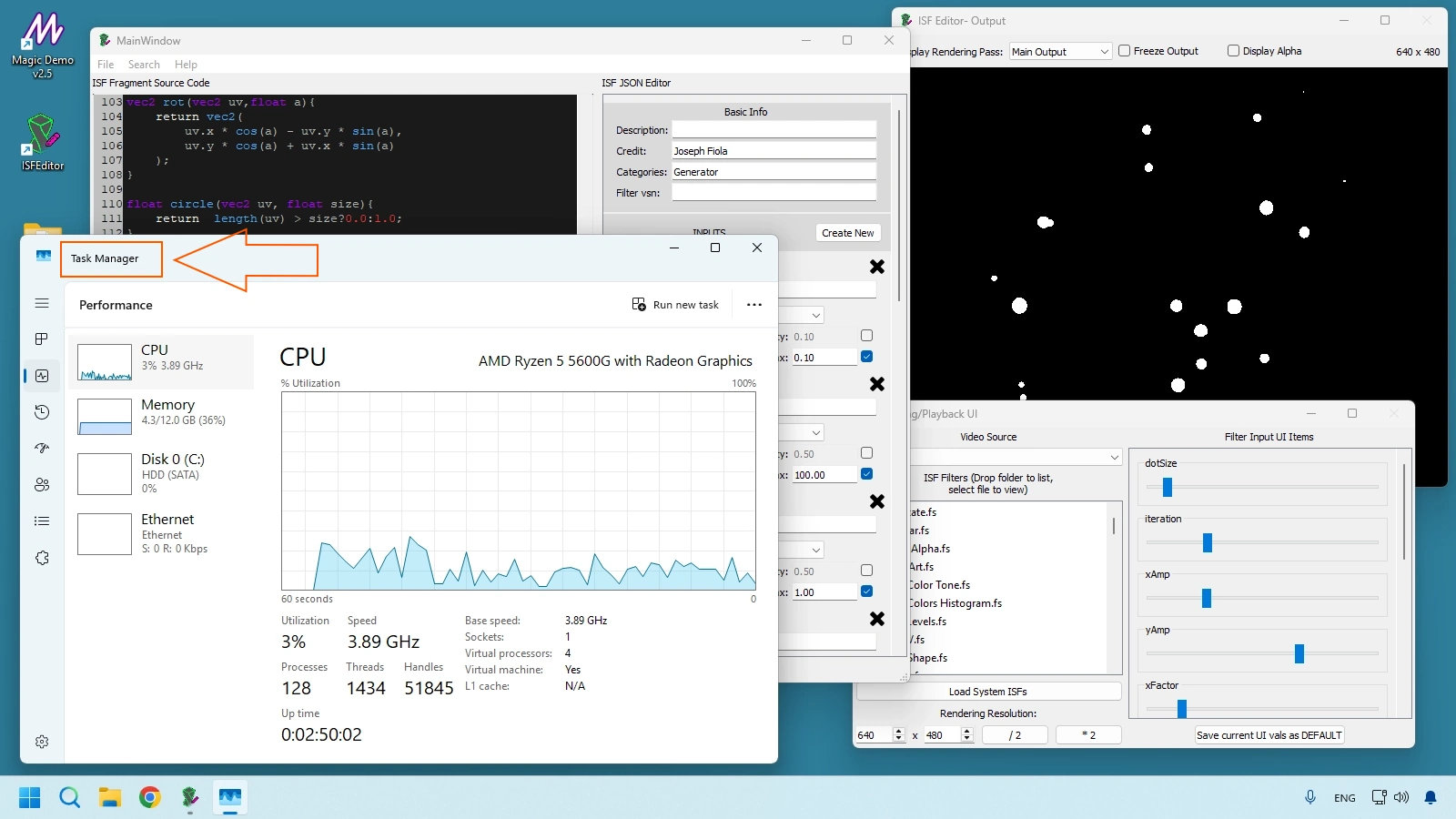
- Validate each in ISF Desktop Editor at your target performance resolution.
- Move approved shaders into your live folder structure and promote the best ones to
-Favorites.
VIDVOX official repository beyond the web editor
If you want direct access to the standard collection, use the official VIDVOX repository at ISF-Files on GitHub. It contains the baseline library used across the ISF ecosystem.
Fast workflow:
- Open the official repository.
- Use Code > Download ZIP.
- Extract and merge relevant shader folders into
C:\ProgramData\ISF.
Quick reference table
| Resource | URL | What you get |
|---|---|---|
| Community library (Web Editor) | editor.isf.video | Large public shader catalog with live browser previews. |
| Official ISF site | isf.video | Standard overview, ecosystem pages, and core references. |
| Official VIDVOX repository | github.com/Vidvox/ISF-Files | Official shader collection with stable baseline assets. |
| Technical documentation | docs.isf.video | Full ISF format reference for editing and authoring shaders. |
| ISF Desktop Editor | isf.vidvox.net/desktop-editor | Desktop app for local testing, debugging, and performance checks. |
Frequently Asked Questions
What comes next
You now have a repeatable workflow to discover, download, and organize shaders. Continue with JSON vs GLSL in ISF Shaders — Chapter 7 to open any .fs file, read the JSON control header, follow the GLSL main() logic, and understand how slider values reach the GPU as uniforms in real time.
Technical Appendix
This appendix centralizes quick references for this chapter, including cited links and chapter navigation for faster study and review.
Referenced Links
- ISF Editor Tutorial for VJs — Chapter 5
- Install ISF Shaders in Magic Visuals — Chapter 4
- ISF for VJs manual index
- isf.video
- VIDVOX
- editor.isf.video
- Resolume
- VDMX
- Magic Music Visuals
- MadMapper
- ISF-Files on GitHub
- github.com/Vidvox/ISF-Files
- docs.isf.video
- isf.vidvox.net/desktop-editor